 Thai Clinic App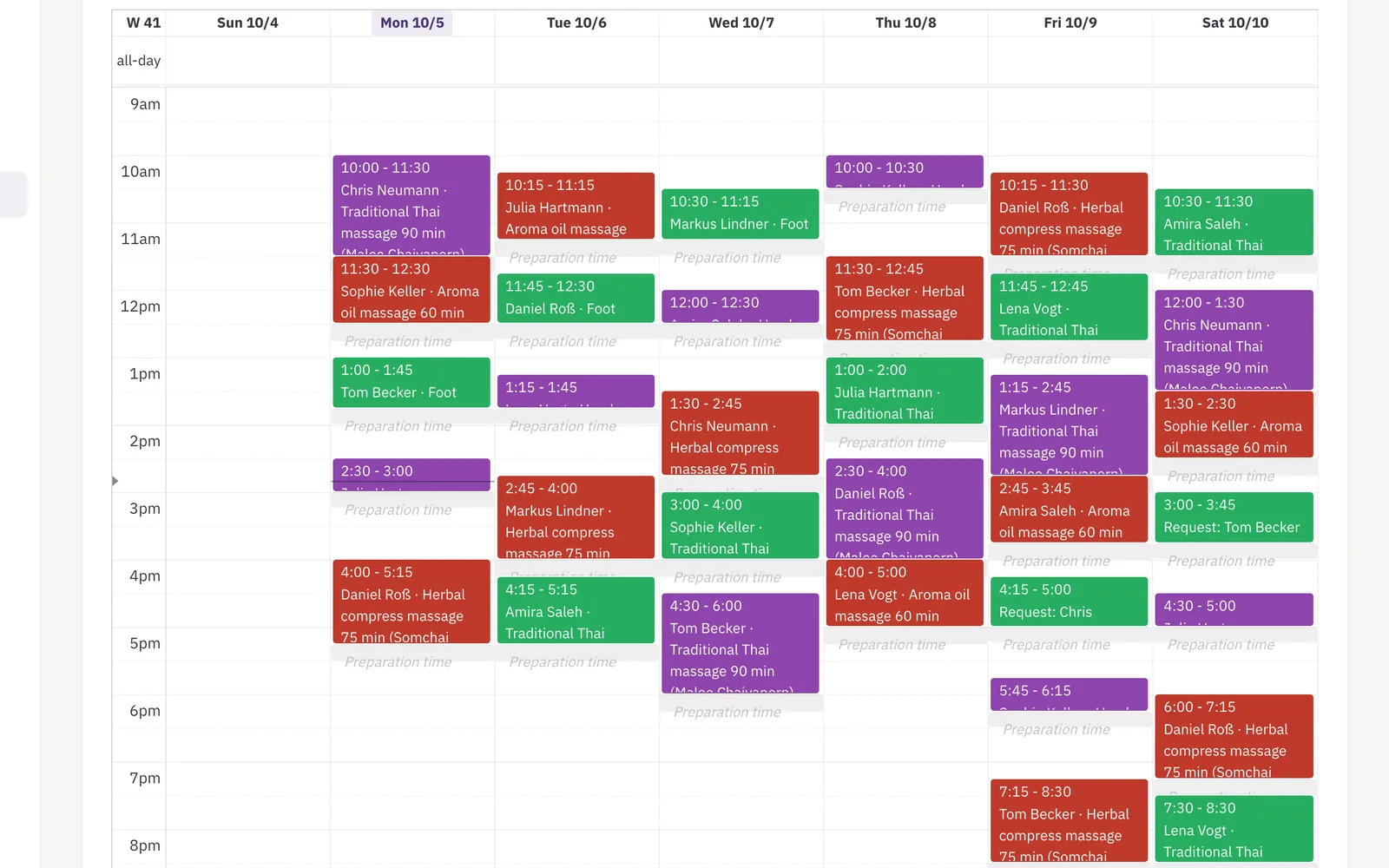
The business
“Suthida Thai Massage” · one therapist, one cabin
- 1 cabin, 1 foot massage chair
- 1 therapist, no reception
- Regulars from the neighbourhood
- Booking link on Google and Instagram
Typical problems
The phone rings during the massage
Every call interrupted a treatment – or landed on the answering machine and was never returned.
Appointments back to back
Without cleaning time the next guest stood at the door before the couch was fresh.
Lunch break booked over
The break from 1 to 2 pm was forgotten on the phone.
“Like last time?”
Pressure and oil of the regulars were in no notebook.
The setup
Services
| Service | Duration | After | Who may perform | Needs | Requirement |
|---|---|---|---|---|---|
| Thai massage 60 | 60 min | 15 min | Therapist | — | — |
| Thai massage 90 | 90 min | 15 min | Therapist | — | — |
| Oil massage 60 | 60 min | 15 min | Therapist | — | — |
| Foot massage 30 | 30 min | 10 min | Therapist | — | — |
This studio needs no resources: one cabin, one therapist – her working hours are the occupancy. The time after is cleaning and a breath.
Team & roles
One employee, herself, bookable online with photo. Working hours Tuesday to Saturday 10–13 and 14–19 – the break is simply not working time.
Resources
| Type | Instances | Choice field |
|---|---|---|
| — | — | not needed |
Custom fields
| Area | Field | Type | Mandatory | Visible to |
|---|---|---|---|---|
| Guest | Pressure / น้ำหนักมือ | Choice: gentle, medium, firm | no | Guest answers online, prefilled next time |
| Guest | Favourite oil | Choice: lavender, lemongrass, neutral | no | Guest portal |
| Guest | Notes | Text, 300 chars | no | Guest answers online – optional |
Booking rules
- Approval off – the appointment is fixed at once, without her picking up the phone.
- Booking notifications on – the guest gets the confirmation, she gets the team e-mail.
- Cancellation deadline in the guest portal: 12 hours.
How a booking goes
Ms Weber books at 10 pm from the sofa.
- She opens the booking link from the Google profile.
- She picks “Oil massage 60”.
- Question pressure: “gentle”; notes: “right shoulder”.
- The calendar only shows times within working hours, with 15 minutes of cleaning after each treatment – the lunch break stays free.
- Confirm. Ms Weber gets the e-mail; the therapist sees the appointment in the calendar in the morning.
- Next time she books, “gentle” is already in the form.
What the team sees
Calendar: “Weber · Oil massage 60 · น้ำหนักมือ: gentle · right shoulder”. No more setup needed; the guest record grows with every visit.
Frequently asked
Does a one-person studio need resources?
No. The therapist's working hours are the occupancy. Resources pay off from the second cabin or a shared place.
How does the lunch break stay free?
Working hours in two blocks, 10–13 and 14–19. Online booking only offers times within the blocks.
How does cleaning time get into the calendar?
Via “time after” per treatment. The 15 minutes belong to the occupancy; the next appointment starts afterwards.
What does it cost?
Online booking and the guest portal come with the Pro plan; the rest is included in every plan.