 Thai Clinic App
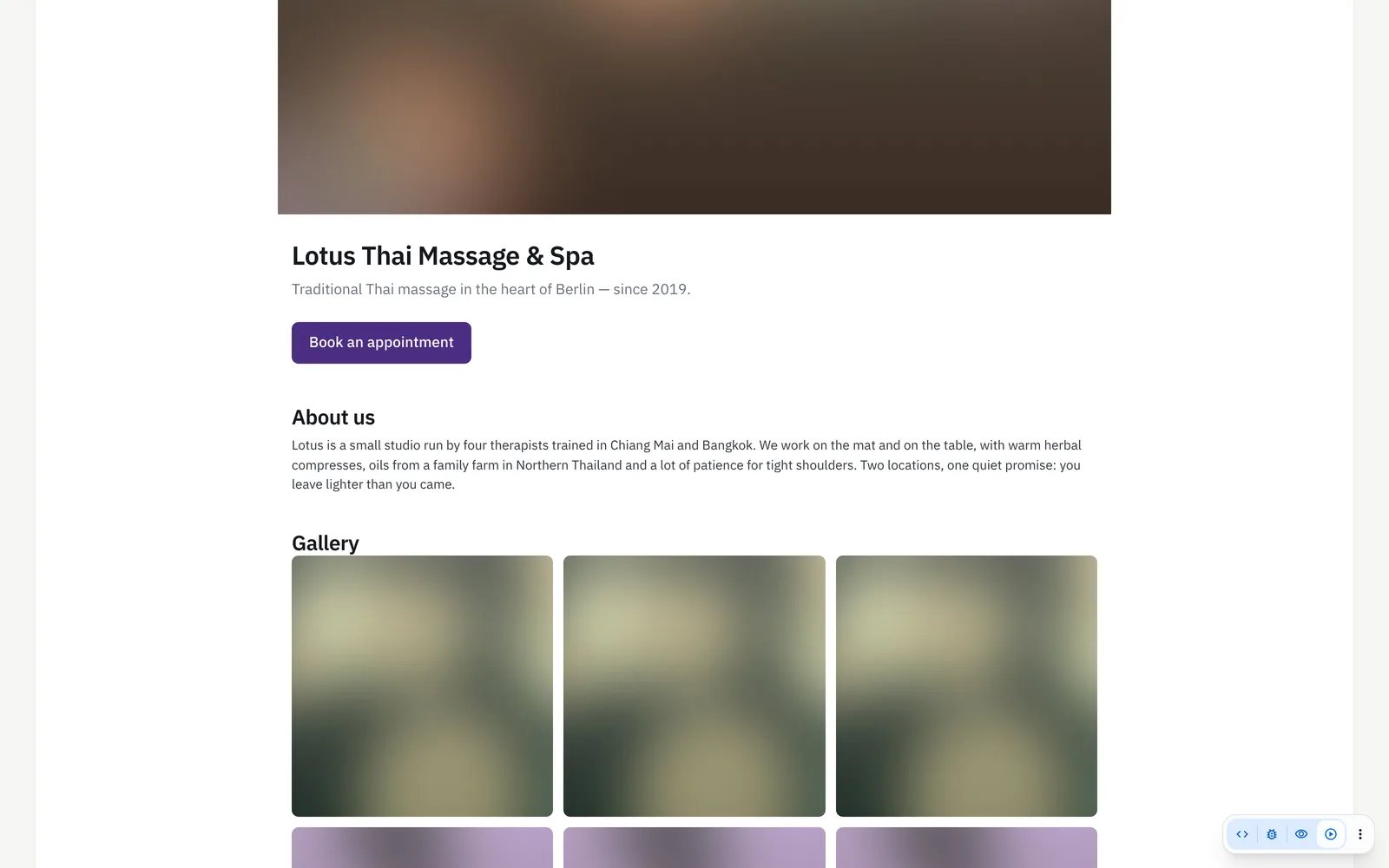
The public business page is the page Thai Clinic App gives every shop to present itself: a header image, a gallery of up to twelve pictures with captions, a short tagline, an About us text and a text about your treatments, with the treatments you offer for online booking listed underneath with duration and price. It lives on a short link of its own that you can paste into an Instagram bio or a WhatsApp status, and the address and phone number of every shop appear on it by themselves. It is included in every plan; from Pro each publicly bookable shop also gets its own booking button.
How it works
- Fill in your page in a few minutes: a header image, up to 12 gallery pictures with captions, a short tagline, an "About us" text and a text about your treatments — the treatments you offer for online booking are listed underneath automatically, with duration and price.
- Add your channels — Instagram, Facebook, your website, WhatsApp, LINE and TikTok — and the address and phone number of every shop appear on the page by themselves.
- Copy your link and put it in your Instagram bio, your Facebook page, your WhatsApp status or your e-mail signature. When somebody shares it, the preview shows your header image and your tagline — that is free advertising every time a client passes your link on.
- Clients who open the page see who you are, what you offer and what it costs, and from Pro they book an appointment right there with one tap — per shop if you have more than one. You can change pictures, texts and links whenever you like, or take the page offline with a single switch.
What you get
- Header image and a gallery of up to 12 pictures with captions
- Tagline, "About us" and a treatments text, plus the automatic list of your online-bookable treatments with prices
- Links to Instagram, Facebook, your website, WhatsApp, LINE and TikTok
- Address and phone number of every shop, and a booking button per shop
- A short, shareable link with a proper preview card on Instagram, Facebook and WhatsApp — a marketing boost for every shop, at no extra cost
- Edit any time under your profile menu → "Business page"; "page is public" switch; part of the setup wizard for new shops
Who it's for
- A shop whose only presence online is an Instagram profile, and which needs one link that shows treatments and prices.
- A spa that answers the same three questions by phone every day: where are you, what do you offer, what does it cost.
- A clinic that sends its link by WhatsApp and wants the preview to show its own header photo instead of a bare address.
- A chain where each shop has its own address, phone number and booking button on the same shared page.
An example from everyday use
A massage shop fills its page in during setup: a header photo of the treatment room, eight gallery pictures with captions, a one-line tagline and a short About us text. The treatments offered for online booking appear underneath on their own, each with its duration and its price, and a treatment priced as a range is shown as a from price. The owner adds the shop's Instagram, Facebook and LINE links; the address comes straight from the branch, with the phone number as a tap-to-call link. Copying the short link into the Instagram bio is the last step. Pictures are resized on upload, so a photo taken on a phone is fine.
The business page is included in every plan; the online booking button comes with Pro. You edit it any time under your profile menu (top right) → "Business page", and new shops fill it in during setup — step 3.
Frequently asked
Is the public business page included in every plan?
Yes. Every plan has the page itself, with pictures, texts, your treatment list and your links. What needs Pro is the online booking button: without it, visitors see who you are, what you offer and what it costs, and call or write to book.
Can I take the business page offline again?
Yes, with a single switch. Turning the page off stops the link showing your shop. Pictures, texts and links can be edited at any time from the profile menu under Business page, and what you save is what visitors see straight away.
Will the link to my business page show a preview when I share it?
Yes. The page sends its own title, description and header image with the link, so Instagram, Facebook, WhatsApp and LINE show a proper preview card rather than a bare address. The page is also listed with its header picture, name and tagline in the searchable public directory of businesses, which links straight to it.